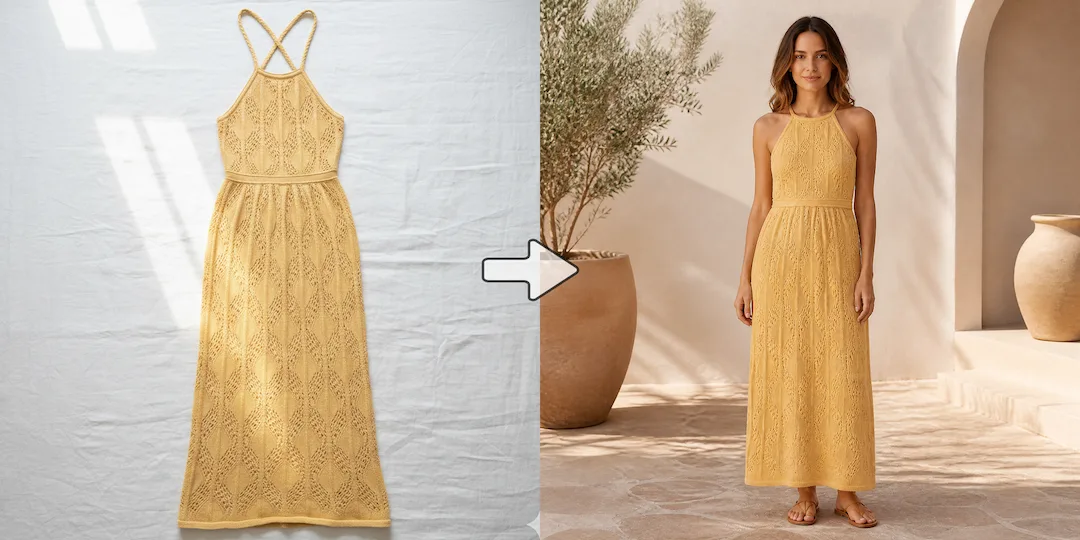
Test more shirt directions from one graphic
Compare print directions, shirt colors, and merch variants quickly so the team can identify stronger T-shirt launches sooner.

T-shirt mockups
NanoVibe helps founders, merch teams, and POD sellers create shirt-specific mockups when the details of apparel presentation matter. It is especially useful when you need to test graphic placement, shirt color, and merch direction without building each T-shirt mockup manually.
Try it out
Upload your image below and let our AI do the heavy lifting. No design skills required.
Product Image
Click or drag to upload product image
Supports JPG/PNG/WEBP, up to 10MB.
No images? Try one of these
Please provide a reference pattern image, a text description, or both:
Reference Pattern (Optional)
Click or drag to upload reference pattern
Supports JPG/PNG/WEBP, up to 10MB.
Pattern Description (Optional)
Benefits
Compare print directions, shirt colors, and merch variants quickly so the team can identify stronger T-shirt launches sooner.
Realistic shirt visuals help merch launches, product pages, and social teasers feel more believable than flat design files alone.
Use a workflow that pays more attention to apparel variables like shirt base, print area, and overall merch direction instead of treating every POD product the same way.
How it works
Use a clean blank T-shirt photo, flat lay, or garment base so the design can be placed clearly.
Add your print concept, slogan, pattern, or reference image for the mockup direction.
Generate several shirt variations and reuse the strongest version across stores, social, and ads.
Start now
Join thousands of professionals and creators who use NanoVibe to power their creative workflows.
Get Started For FreeFAQ
Yes. NanoVibe works well for creator launches, POD stores, brand capsules, and internal concept testing where speed and presentation both matter.
A finished design helps, but a strong prompt or reference image can also guide a useful mockup direction.
Teams usually care most about graphic placement, shirt color, base garment style, and how believable the final merch presentation feels on the product page or in promo content.
Yes. Teams often use T-shirt mockups to test several print directions, shirt colors, and launch angles before deciding what to push live.
This page is narrower and more apparel-specific. The broader POD mockup page covers several merch categories, while this page focuses on T-shirt presentation and shirt-specific testing needs.
Explore
Create realistic print-on-demand mockups for apparel, merch, and store listings. Turn designs into publishable POD visuals faster.
Create Etsy mockups for POD products, handmade shops, and listing tests. Build stronger listing visuals faster without template-heavy workflows.
Change clothes in photos with AI for merchandising tests, campaign variations, and faster fashion content. Create more looks from existing images.
Generate AI clothing model photos for ecommerce, PDPs, and campaigns. Turn garment images into model-ready visuals without another shoot.
Create Instagram product posters for launches, drops, offers, and paid social. Turn product images into scroll-stopping promo visuals faster.
Generate AI lookbook images for fashion launches, collection storytelling, and merchandising. Build stronger editorial-style visuals without a full lookbook shoot.
More tools