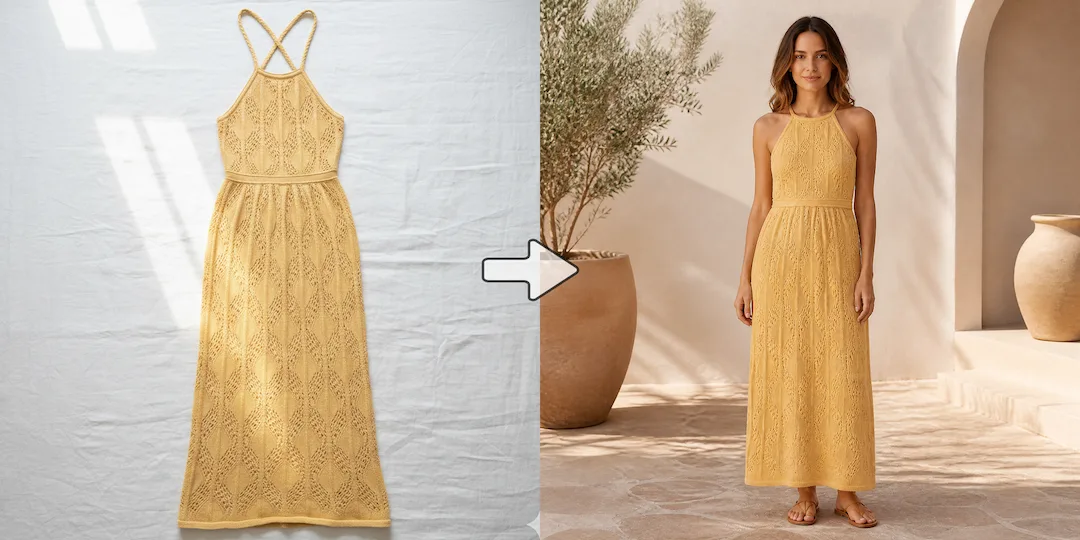
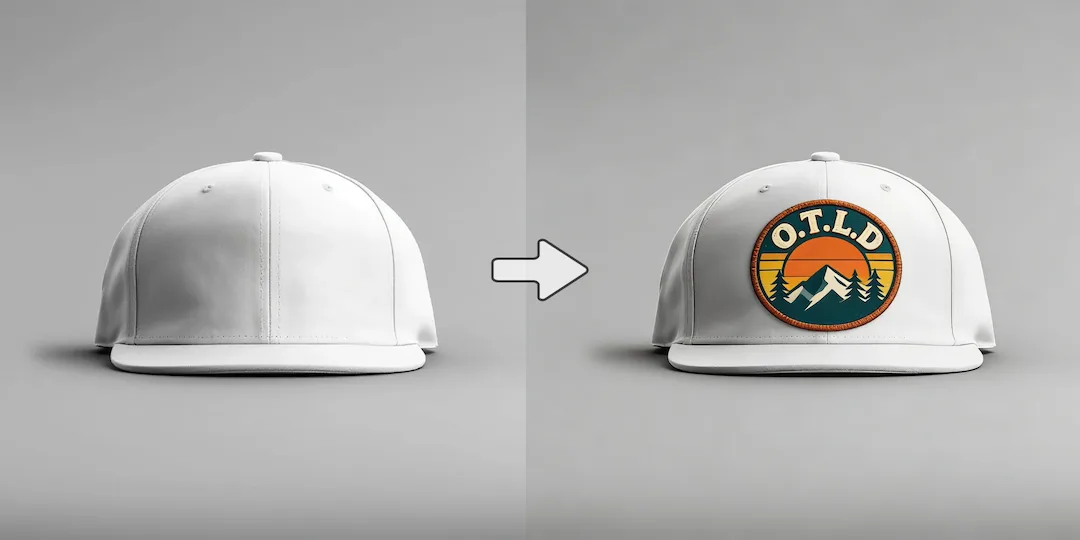
Use NanoVibe for launch work
Choose NanoVibe when the output needs to become a PDP image, paid social creative, hero banner, or campaign visual without a long art-direction loop.

AI Tool Comparison
NanoVibe is built for fashion and ecommerce teams that need faster, repeatable AI photo production. It turns one product image into model photos, product scenes, clean packshots, and campaign creatives with less cost and less tool switching. Midjourney is still strong for stylized concept art, but NanoVibe is the better fit when your team needs commercial visuals that move from idea to usable asset fast.
Decision guide
Choose NanoVibe when the output needs to become a PDP image, paid social creative, hero banner, or campaign visual without a long art-direction loop.
Choose Midjourney when you want mood, atmosphere, stylized scenes, and visual experimentation before production constraints matter.
Teams often start with Midjourney for inspiration, then switch when they need faster approval cycles, more predictable outputs, and a workflow that can support weekly production.
Full comparison
The real question is not which tool can make one impressive image. It is which one helps a fashion or ecommerce team move from product image to approved asset faster. Midjourney leans toward artful exploration. NanoVibe leans toward deliverable-ready production.
NanoVibe is built to move quickly from brief to usable asset when the image needs to ship into a campaign or product page.
Midjourney shines when the process itself is exploratory and the goal is to discover a striking visual direction.
NanoVibe is better aligned with model photos, product scenes, packshots, and campaign-ready visuals that need commercial clarity.
Midjourney is stronger when visual drama and artistic composition matter more than whether the image feels ready for ecommerce use.
NanoVibe is a better fit when you want a shorter path from idea to result and less time spent tuning prompts for style.
Midjourney can be powerful, but it often asks for more prompt experimentation before you land on the exact look you want.
NanoVibe makes more sense when one hero image needs to turn into multiple ad variants, alternate scenes, or follow-up assets.
Midjourney is often strongest at generation and concept output rather than repeatable downstream production tasks.
NanoVibe is easier to hand to marketers, ecommerce operators, and founders who need results without deep prompt expertise.
Midjourney is more rewarding for users who enjoy crafting prompts and shaping an aesthetic over time.
Better for commercial image production where speed, usability, and asset readiness matter most.
Better for concept art, visual exploration, and cases where style matters more than operational speed.
Why users switch
Midjourney is popular for a reason, but not every team needs a prompt-heavy art workflow. Many people searching for an alternative are not trying to replace artistic quality. They are trying to remove friction from a business image pipeline.
A striking image is not always the same thing as a usable PDP image, paid social creative, or launch visual. Commerce teams need outputs that can move straight into production.
Some users enjoy aesthetic exploration. Others want to describe the result, make a few edits, and move on. NanoVibe is better aligned with the second group.
Real launches rarely stop at one hero image. Teams need product scenes, alternate crops, cleaner packshots, and campaign variants, which is where a workflow-first tool matters more.
Use cases
NanoVibe is the stronger fit if you need images for ads, landing pages, email banners, or social campaigns that must be approved and published fast.
If your work involves product scenes, model photos, catalog images, or white-background cleanup for commercial use, NanoVibe usually feels more practical.
If your main goal is atmosphere, drama, and concept-driven imagery for inspiration rather than operational delivery, Midjourney may still be the more satisfying tool.
Why NanoVibe wins
NanoVibe is built for teams that want outputs they can actually use without spending too much time circling around the prompt.
If you create content every week instead of occasionally, consistency, variation speed, and production flow matter more than artistic novelty.
You do not need to feel like an AI art power user to get value out of NanoVibe. That makes it more accessible for marketers, founders, and ecommerce teams that just need results.
NanoVibe makes more sense if image generation is only one step in a larger workflow that also includes cleanup, variants, ads, and storefront delivery.
Try it yourself
If you are deciding between NanoVibe and Midjourney, do not compare abstract prompts. Run a real launch task and see which tool gets you from product image to usable campaign asset faster.
Try NanoVibe FreeFAQ
Yes. If your team needs product visuals, model photos, campaign creatives, or launch assets faster, NanoVibe is often the better fit. Midjourney still wins for highly stylized exploration, but NanoVibe is stronger when the job is commercial delivery.
NanoVibe is usually better when the end goal is a usable PDP visual, ad creative, or launch image. Midjourney is stronger when the goal is mood, atmosphere, and style exploration before production constraints matter.
In most day-to-day commercial workflows, yes. NanoVibe is better suited to teams that want to describe a result, refine it quickly, and move on, rather than spend more time iterating for a highly stylized look.
For many marketing teams, yes. NanoVibe is built for repeatable visual production, so it makes more sense when the work includes ads, product scenes, packshots, and campaign variants rather than one-off art pieces.
Choose Midjourney when cinematic style, concept art, or aesthetic experimentation matter more than production speed. If the final image is closer to a moodboard than a deliverable, Midjourney may still be the better choice.
If speed, usability, and repeatable output matter more than artistic exploration, NanoVibe is a strong Midjourney alternative for day-to-day product, campaign, and ecommerce image creation.
More comparisons
Compare Gemini's assistant-style image help with NanoVibe's dedicated workflow for repeatable ecommerce and marketing visuals.
See whether a general AI assistant or an image-first workflow is better for campaign creatives, product pages, and repeat visual output.
Best for teams comparing Canva's design suite with NanoVibe's image-first workflow for source assets, product photos, and campaign visuals.
Compare Photoroom's seller-focused editing and listing workflow with NanoVibe's broader AI photo workflow for models, scenes, packshots, and campaign assets.
Compare Claid's product-photo enhancement and API workflow with NanoVibe's image-first workflow for model photos, product scenes, and launch-ready visuals.
Best for sellers comparing a utility-heavy editor with a full product photo workflow for cleanup, scenes, packshots, and promo assets.
Compare Aragon's classic business headshots with NanoVibe's broader workflow for LinkedIn photos, founder portraits, and brand imagery.
Compare Photo AI's training-heavy portrait workflow with NanoVibe's faster path to headshots, creator photos, and brand-ready portraits.
See when a free image generator is enough and when NanoVibe is better for reliable product visuals, ads, and repeat commercial work.
Compare Stable Diffusion's open model freedom with NanoVibe's faster workflow for non-technical teams shipping ecommerce and campaign assets.
Best for teams deciding between model-first Flux workflows and NanoVibe's faster route to product imagery, launch assets, and ad creatives.
Compare Claude for briefs and thinking with NanoVibe for image production when the final deliverable is a campaign or product visual.
See when Remini is enough for enhancement and when NanoVibe is better for turning repaired images into ecommerce and campaign assets.
Compare OpenArt's exploration-heavy creator platform with NanoVibe's cleaner workflow for product images, ads, and practical brand visuals.
More tools