NanoVibe logo
Beauty portrait style

Euphoria Makeup Filter

Build a dramatic beauty portrait with glossy skin, bold liner, jewel tones, and cinematic party lighting. These prompts are tuned for close-up makeup shots that feel expressive enough for mood boards but still polished enough for avatars, beauty campaigns, and creator portraits.

Try the tool

Create your Euphoria makeup look

Start with the hero prompt or open one of the beauty-ready examples below to generate a sharper neon portrait in one click.

Login

Looks to try

Three Euphoria makeup styles to try

Each option keeps the glossy editorial beauty direction, then shifts the mood from rhinestone drama to softer color wash or stronger late-night contrast.

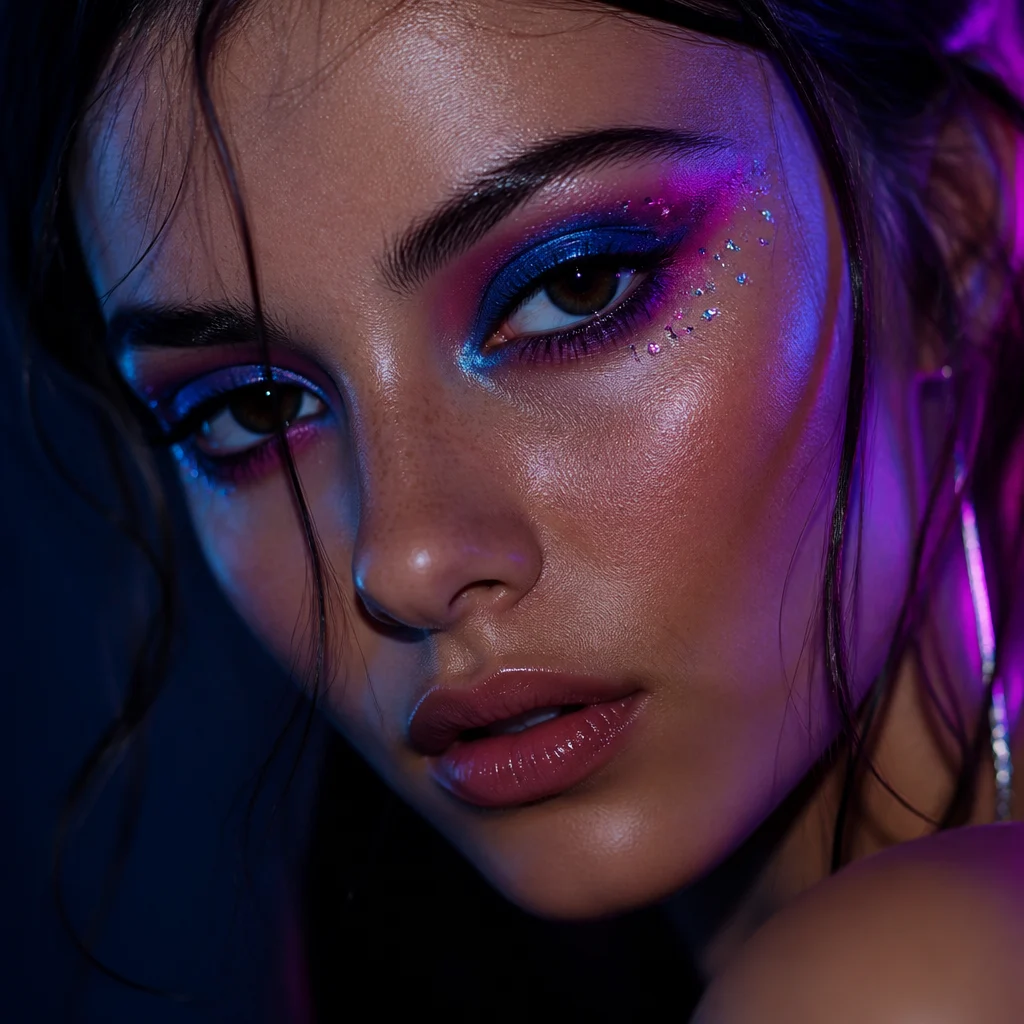
An Euphoria-inspired close-up beauty portrait with electric blue and magenta eyeshadow, tiny rhinestones around the outer eye, glossy skin, soft blush, moody neon edge light, direct eye contact, and high-end editorial makeup photography

Rhinestone Neon Close-Up

A bold editorial beauty crop for users who want sparkling details and saturated eye makeup that still keeps the face clean.

An Euphoria-inspired close-up beauty portrait with electric blue and magenta eyeshadow, tiny rhinestones around the outer eye, glossy skin, soft blush, moody neon edge light, direct eye contact, and high-end editorial makeup photography
Use this template
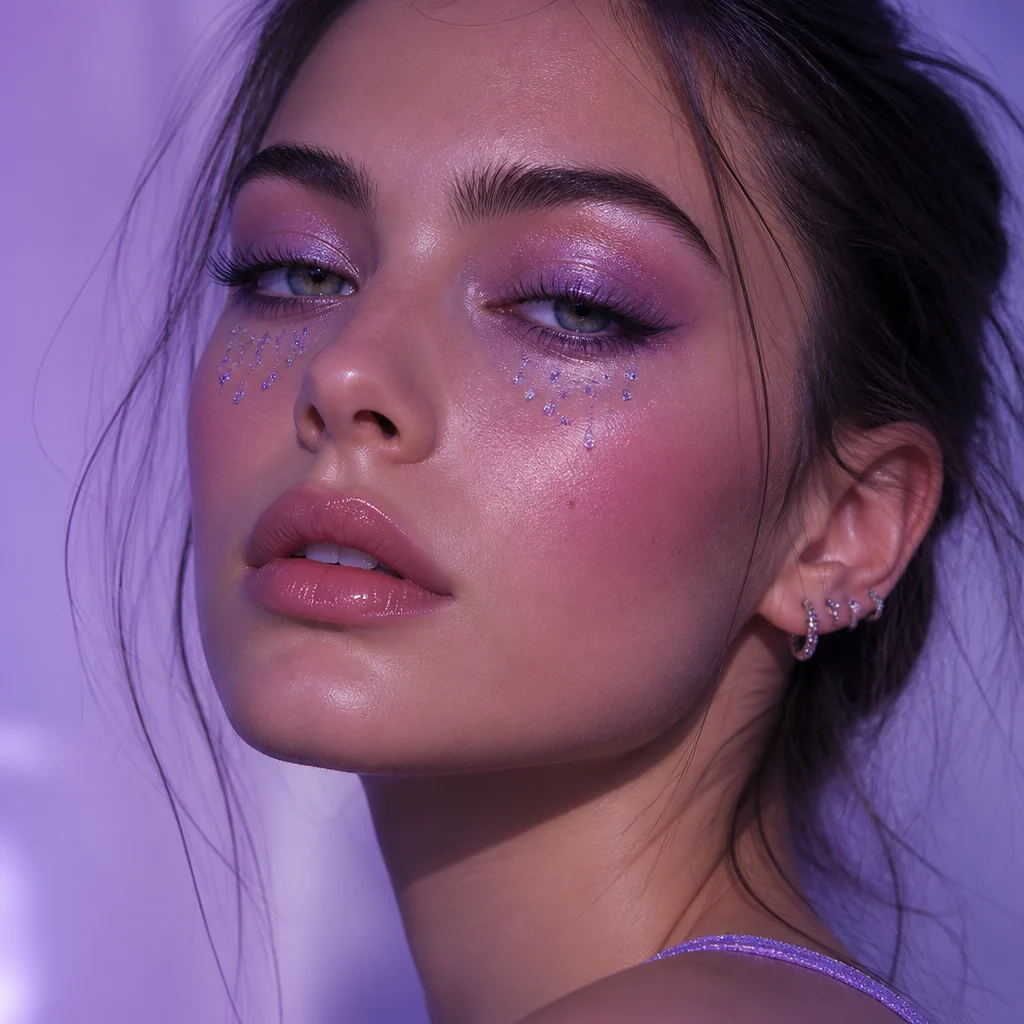
A dreamy Euphoria-inspired makeup portrait with lavender shimmer eyeshadow, subtle crystal tear accents, dewy skin, soft lilac glow, feathered lashes, relaxed expression, clean studio framing, and polished beauty-editorial clarity

Lavender Tear Gloss

A softer version with dreamy color transitions for beauty portraits that feel emotional without becoming costume-heavy.

A dreamy Euphoria-inspired makeup portrait with lavender shimmer eyeshadow, subtle crystal tear accents, dewy skin, soft lilac glow, feathered lashes, relaxed expression, clean studio framing, and polished beauty-editorial clarity
Use this template
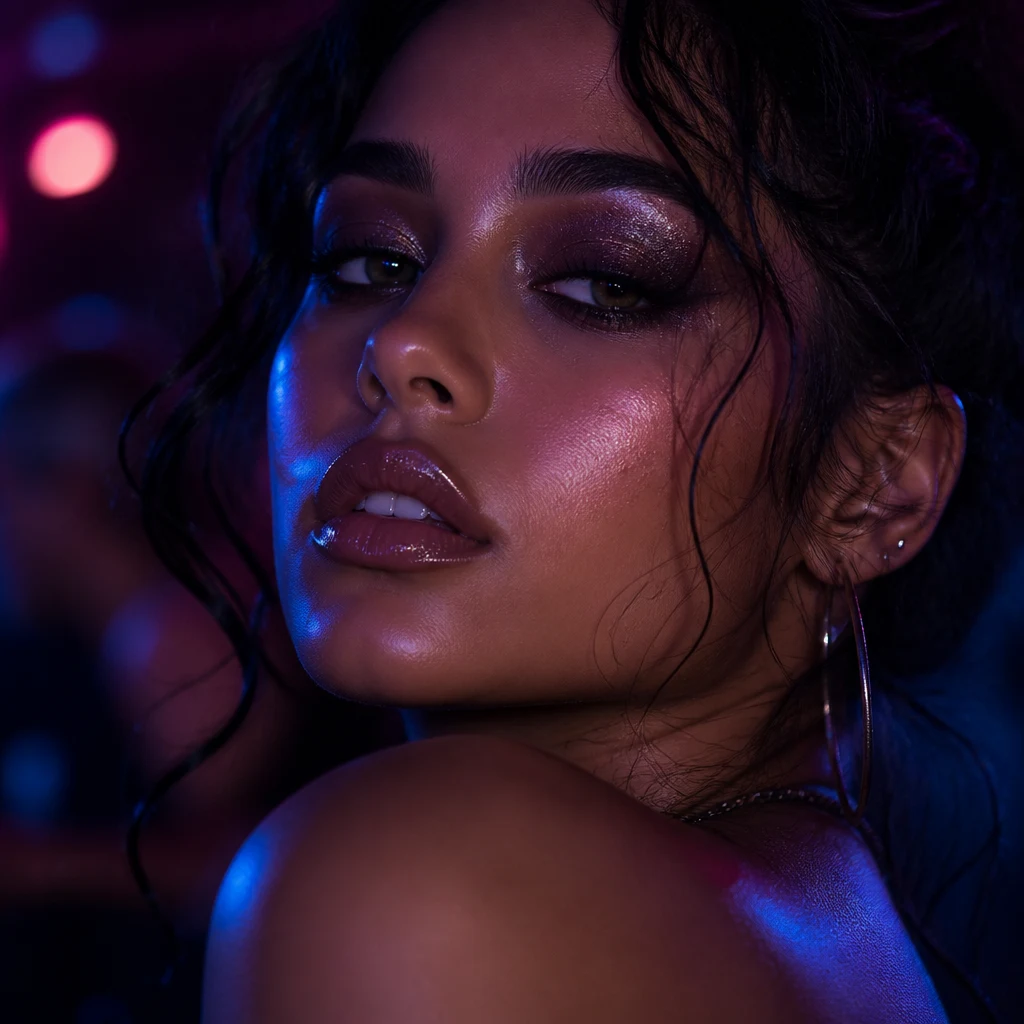
An after-dark Euphoria-inspired beauty portrait with smoked plum eyeshadow, fine silver glitter, glossy lips, luminous skin texture, dark background, pink and cobalt club lighting, confident expression, and cinematic editorial portrait detail

After Dark Glitter

A higher-contrast party look for users who want stronger shadow, darker color, and more nightlife energy in the final portrait.

An after-dark Euphoria-inspired beauty portrait with smoked plum eyeshadow, fine silver glitter, glossy lips, luminous skin texture, dark background, pink and cobalt club lighting, confident expression, and cinematic editorial portrait detail
Use this template

FAQ

Euphoria Makeup Filter FAQ

What makes an Euphoria makeup look work in AI portraits?

The strongest results combine one bold eye idea, glossy skin, and controlled lighting. Rhinestones, shimmer, or neon all work better when the portrait still keeps the eyes and skin texture readable.

Should I use rhinestones in every Euphoria makeup filter prompt?

No. Rhinestones help when you want a recognizable editorial finish, but shimmer shadow, glossy lids, colored liner, or crystal tear details can create the same mood with a lighter touch.

Why does this page use AI Image Generator instead of a simple beauty filter?

This style depends on lighting, texture, makeup placement, and cinematic mood all at once. AI Image Generator gives you more control over those details than a one-click preset workflow.

Which colors work best for an Euphoria-inspired makeup portrait?

Violet, cobalt, magenta, emerald, and silver usually create the clearest late-night editorial look. Pair one or two saturated colors with glossy skin so the portrait stays polished instead of chaotic.

Can I make this style look softer for a profile photo?

Yes. Reduce the glitter, keep the background simple, and use one main shade like lavender or blue. Softer glow and cleaner framing make the result easier to use as an avatar or beauty headshot.

What ratio should I use for an Euphoria makeup filter?

A square ratio is the safest default for beauty portraits because it keeps the eyes, cheeks, and forehead centered. If you want more shoulder styling, you can expand to a taller portrait later.

More styles

Explore related style pages

More tools

Explore more NanoVibe workflows